
Posts Tagged ‘drum music’
Song Form 3 Tier Blocks and How to Use Them
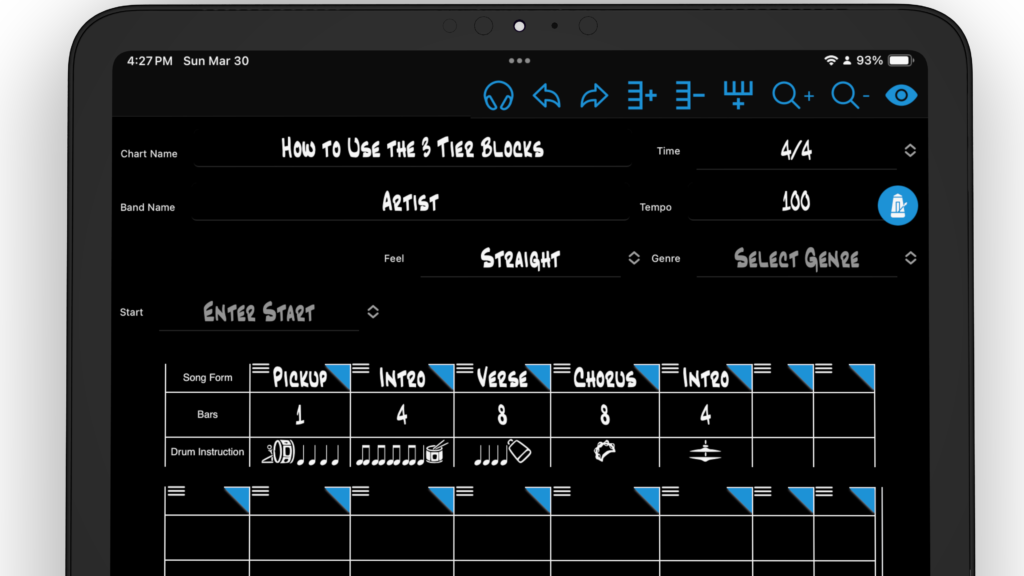
The 3 tier blocks is an organized way to start mapping out your song form while listening to the song you are about to chart. While listening to your song, use the quick dropdown menus in each block to map out your song. Select top Song Form block to open a quick dropdown menu of…
Read MoreHow to Migrate Your Legacy Charts into the New Drum Chart Builder App
Move your charts into the new version of Drum Chart Builder A Note to Legacy Users from Liz Ficalora Thank you for using the legacy version of Drum Chart Builder. I hope this migration process for your charts is simple and easy for you to do. You will find the new version of Drum Chart…
Read MoreYour Pattern Library and Preset Library Tutorial
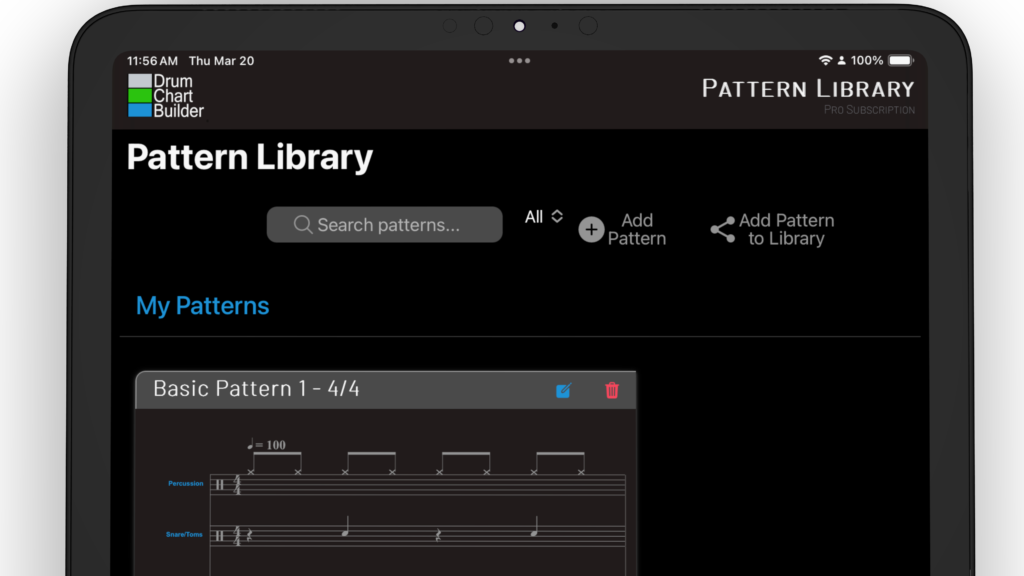
Your pattern library is located on the Patterns page. Select the icon Pattern that is in the bottom menu of the app. Pattern Library Cards You can edit and delete your pattern library from this pattern card. Selecting the blue icon to edit and the red trash icon to delete. Select the play icon to…
Read MoreHow to Share Your First Chart
How to Share a Chart From the dashboard select the chart icon at the bottom of the page and open the chart library.Search the chart you would like to share and select the square icon in the chart card. This opens the share interface. Enter recipient email Enter the email of the person you would…
Read MoreHow to Build Your First Drum Chart

Open The Chart Template From the dashboard select the chart icon in the bottom menu to open the chart library. At the top of the chart library select + Add Chart to open a drum chart template. Add Your Song Link Select the headphone icon to add you song link from your Music provider.Upload your song link…
Read More