
Posts by drumchartbuilder
About the Book-How to Write a Fast and Easy Drum Chart
The Best Book to Learn How to Chart a Song How to Write a Fast and Easy Drum Chart teaches an innovative and simple approach to drum chart writing that takes almost no time to learn.Charting a song helps you play with greater accuracy, ensuring that you play the song correctly the first time and…
Read MoreNashville Number Charts and Eddy Anderson

I use them when a chart is not available and I recommend that to all drummers. Eddy Anderson Talking About Using The Nashville Number System Which System Works Well For You? I have been living in Nashville since 1994 and I learned how to read the Nashville Number system because no one ever handed me…
Read MoreCreating a Drum Chart Can Be Beneficial for Several Reasons
Overall, drum charts enhance communication, accuracy, and consistency in drumming, facilitating collaboration, learning, and performance. They are valuable tools for drummers, songwriters, session players, and educators alike.
Read MoreHow To Write Drum Music for a Song
You Can Follow these General Steps: Remember, writing drum music for a song is a creative process, and there are no strict rules. Trust your musical instincts, experiment, and be open to exploring different ideas and approaches. The goal is to create a drum part that serves the song, enhances its musicality, and adds depth…
Read MoreSong Form 3 Tier Blocks and How to Use Them
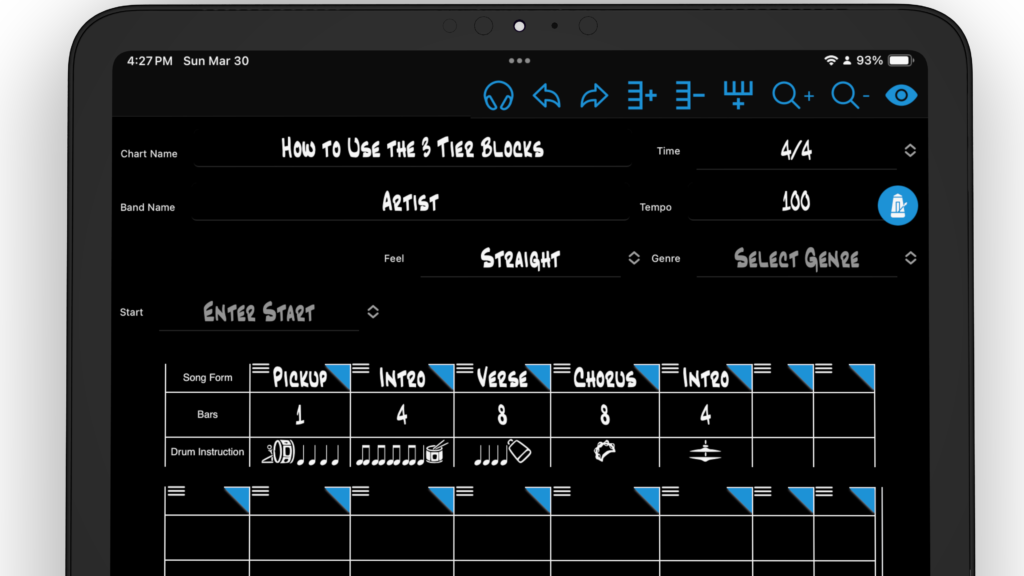
The 3 tier blocks is an organized way to start mapping out your song form while listening to the song you are about to chart. While listening to your song, use the quick dropdown menus in each block to map out your song. Select top Song Form block to open a quick dropdown menu of…
Read MoreMain Menu, Drum Chart Information Header and Footer
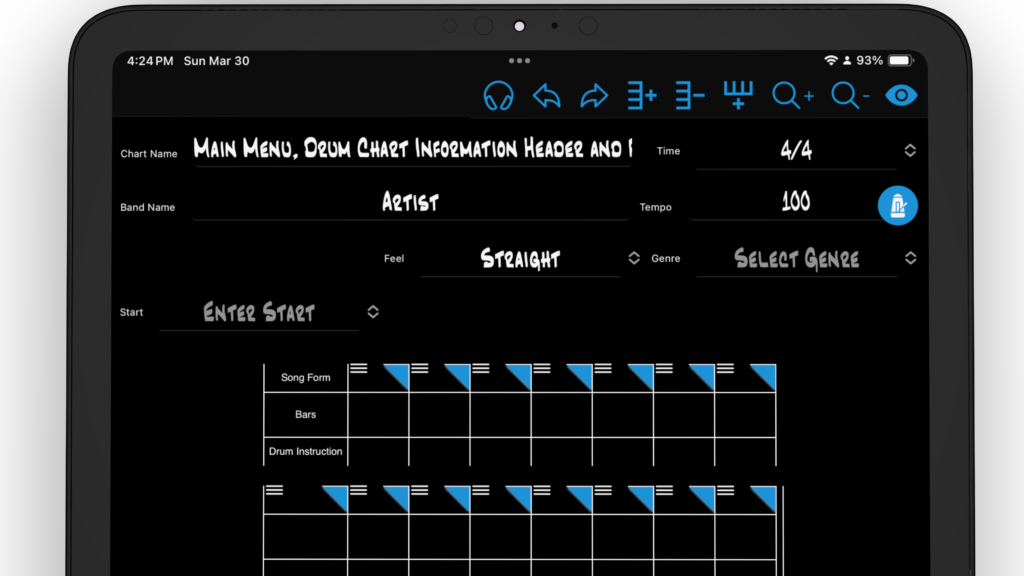
Main Menu The main menu is located at the top of every drum chart. Drum Chart Information Header The drum chart information header is where you can add all song information for easy assess. Keeping this information consistent. When returning to a chart months later, you will have an easy time remembering the song.Chart NameEnter…
Read MoreHow to Tap Out The Tempo Using the Metronome
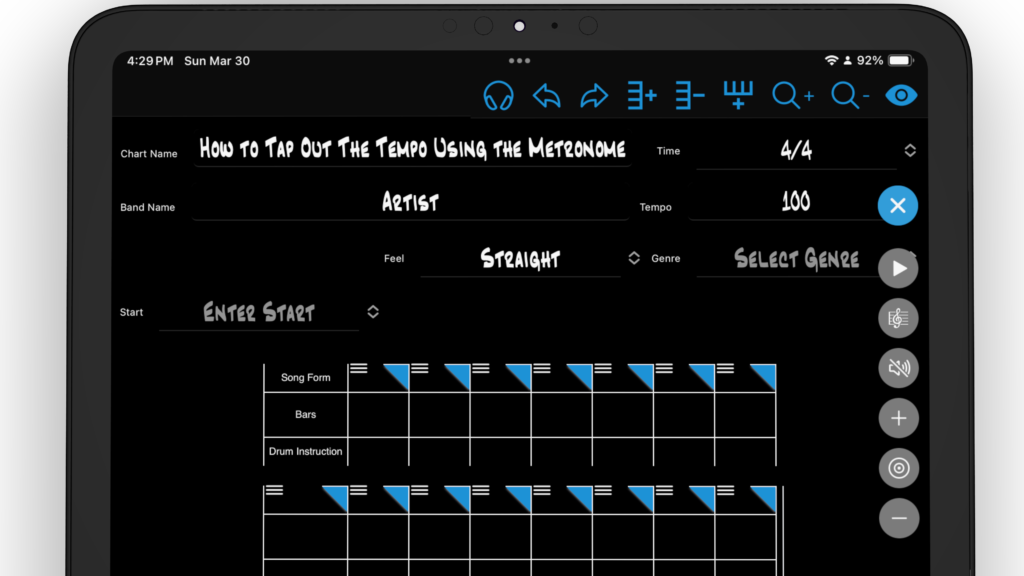
How to Tap the Tempo on a Laptop, iPad or Tablet In your new chart, select the metronome icon to open the control dropdown menu. The play button starts and stops the metronome click and the blinking light in the header of your chart. You can also click on the chart header to start and…
Read MoreHow to Migrate Your Legacy Charts into the New Drum Chart Builder App
Move your charts into the new version of Drum Chart Builder A Note to Legacy Users from Liz Ficalora Thank you for using the legacy version of Drum Chart Builder. I hope this migration process for your charts is simple and easy for you to do. You will find the new version of Drum Chart…
Read MoreYour Account Page Tutorial
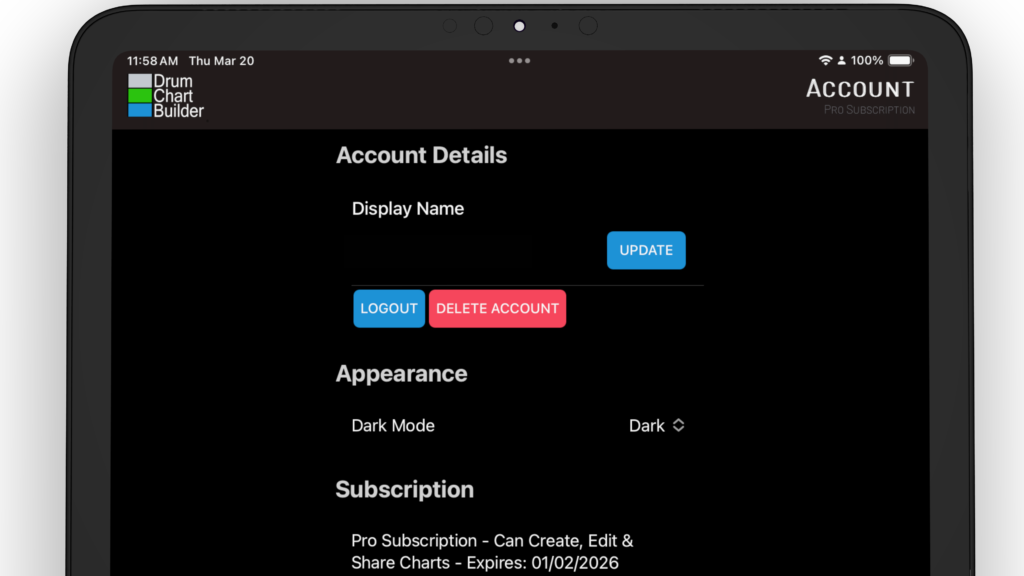
Display Name: Use to add a name for your accountLogin and logout and Delete your accountAppearance: Choose between Light or Dark Mode Subscription: Your subscription length and expiration date. Here you can upgrade subscription, Restore subscriptions and Cancel subscriptions.Cached Data: To remove cache from the app.Application Settings:Limit playback: Choose how many bars you would like…
Read MoreYour Pattern Library and Preset Library Tutorial
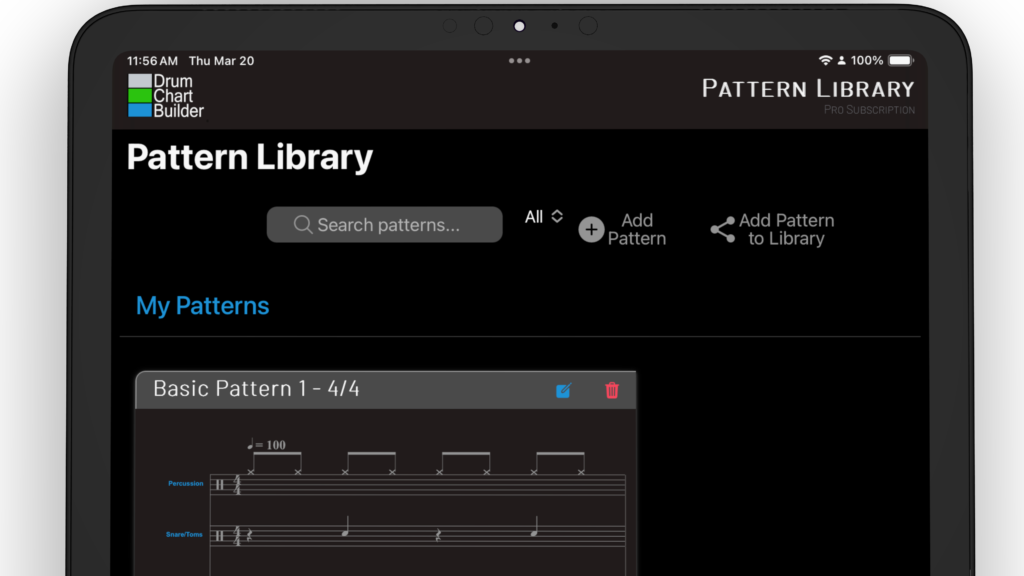
Your pattern library is located on the Patterns page. Select the icon Pattern that is in the bottom menu of the app. Pattern Library Cards You can edit and delete your pattern library from this pattern card. Selecting the blue icon to edit and the red trash icon to delete. Select the play icon to…
Read More